
Last updated: 9 September 2026
The best dog camera without a subscription is one that provides the features you actually need after every trial has ended. For many homes, that means an ordinary indoor camera with live view and a microSD recording option. Start by comparing the Tapo C210 and C225, then check the exact hardware version and what is included in the box.
This article contains Amazon affiliate links. As an Amazon Associate, we earn from qualifying purchases.
A camera can help you see whether your dog is resting, pacing or reacting to sounds. It cannot provide a toilet break, prevent an accident or replace a plan for separation-related distress. This shortlist is based on manufacturer specifications, not hands-on testing.
Table of Contents
Two useful starting points
| Camera | Why consider it? | Important check |
|---|---|---|
| Tapo C210 | A straightforward indoor pan-and-tilt option for checking a familiar room. | Confirm recording-card requirements and features for the hardware version being sold. |
| Tapo C225 | Worth comparing if physical lens privacy and the listed pet/sound detection features matter. | Check whether the particular notification you want is free or part of Tapo Care. |
Tapo’s UK service comparison lists live view, two-way audio and local storage among the functions available without Tapo Care. Cloud clip history and some richer notification features sit in the paid service. The manufacturer also warns that functionality varies by model and firmware, so a shared brand name is not enough to establish feature parity.
Find Tapo C210 on Amazon UK or Find Tapo C225 on Amazon UK. Select the stated UK model and check whether a memory card is included; a picture showing a card does not necessarily mean one is supplied.
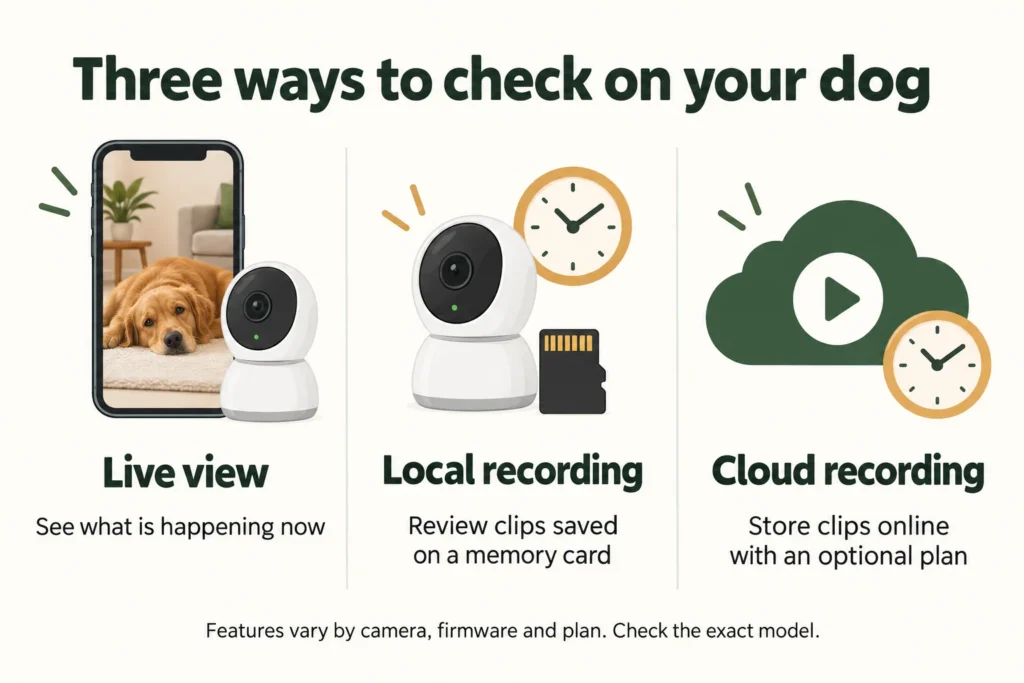
Live view and recording answer different questions
Live view tells you what is happening when you open the app. Recording helps answer what happened earlier. If your dog barks while you are in a meeting, a live view an hour later may show a sleeping dog and miss the trigger completely.
Write down which of these you need before comparing cameras: occasional check-ins, recordings around detected movement, or a continuous account of the room. Then find that exact function in the manufacturer’s documentation. Avoid treating a free app, free live view and free event recording as interchangeable promises.
A sensible first installation is one camera covering the main resting area and the route towards the exit. Buy a second only if the first leaves an important blind spot. A bigger resolution number does not compensate for pointing the lens at the wrong part of the room.
Budget for local storage and ownership
For a camera using removable storage, add a compatible microSD card to the initial cost. Follow the manufacturer’s capacity and card recommendations for the exact model. Tapo’s compatibility guidance explains that cards are sold separately and identifies local storage as an alternative to cloud storage.
For illustration, a £40 camera with a £12 card starts at £52. A different £30 camera with a £4 monthly plan would cost £78 over its first year. These are made-up comparison figures, not current product prices. The calculation is useful because a lower checkout price can conceal the more expensive arrangement.
Also consider the power socket, cable route and the Wi-Fi signal where the camera will live. Keep cords and small accessories beyond chewing reach. A device described as wireless may still need mains power; check power and network requirements separately.
Set it up for the dog you have
- Install and update the camera while you are at home.
- Check the view with your dog standing, lying down and walking through the room.
- Test an actual recording and play it back, rather than assuming an alert means a clip was saved.
- Listen to the speaker at its lowest setting before trying two-way speech.
- Arrange a short, ordinary absence and review how the dog responds.
Some dogs look for the person they hear through a speaker; others find it unsettling. If speaking through the camera increases agitation, stop using that function. Never enable an automatic siren as a response to barking.
Privacy and practical limits
Use a unique password, keep firmware current and restrict shared access to people who need it. Position the lens away from private household activities and neighbours’ property. Tell household members and visitors when recording is in use.
A local memory card does not automatically mean every service operates without an internet connection. Remote viewing and notifications have their own connectivity requirements. Check what happens during a router restart or power cut and make sure a loss of camera access does not leave your dog without planned care.
If footage shows repeated distress, record when it happens and discuss it with your vet or a qualified behaviour professional. Our guide to separation-related difficulties explains why monitoring is only one part of the response. Choose the camera around the information you need, then spend the remaining budget on care and training that benefits the dog.